
How to Search Wake County Court Records
Wake County court records are searched first through the North Carolina eCourts Portal, which the Judicial Branch uses for public case information, hearing dates, judgment search, and some payments. The Wake County Judicial Branch page points users toward Portal, forms, calendars, payment information, and local courthouse contacts. Portal works best for case summaries and hearing data. It is not the final source for certified copies, and it is not the preferred tool for personal background checks.
The official Portal training resources confirm Smart Search, Search Hearings, NC Judgment Search, and payment functions. The system may require JavaScript, cookies, and human verification. If a live search fails, the fallback is the Clerk of Superior Court, a public self-service terminal, or a copy request at the courthouse where the file is located. Wake County uses the Clerk of Superior Court as the custodian for both Superior Court and District Court files.
- Start with Smart Search in the eCourts Portal and use the party name, case number, attorney, citation number, or other visible search option.
- Limit results to Wake County or the Wake court location when the filter is available, then compare the case number, parties, and case type.
- Use Search Hearings when the need is a court date, courtroom, judicial officer, attorney, or hearing calendar rather than a full file.
- Use NC Judgment Search for judgment index entries, then open Smart Search when a complete case summary is needed.
- For certified copies, older files, sealed-record questions, or a complete paper file, contact or visit the Wake County Clerk of Superior Court.
The North Carolina public records chapter supports inspection of many public records, but court records also follow court-specific access rules. Portal entries should be checked against the clerk record when the result will be used for filing, employment review, licensing, immigration, or a legal proceeding.
Wake County Court Records Search Fields
Portal search fields vary by module, but the research shows a stable set of search paths for Wake County court records. Smart Search is the broad case lookup. Search Hearings is the calendar path. NC Judgment Search is the judgment index path. Wildcard rules matter because a short name or partial case number may not return the expected record.
| Field Label | Type | Required | Notes / Format |
|---|---|---|---|
| Smart Search text | Text | No | Name, case number, attorney, citation, or other Portal search value. |
| Case Number | Text | No | Wildcard requires at least four characters followed by an asterisk. |
| Party Name | Text | No | Name wildcard uses at least three last-name characters and one first-name character followed by an asterisk. |
| Business Name / Nickname | Text | No | Wildcard requires at least four characters followed by an asterisk. |
| Attorney Name / Bar Number | Text | No | Search Hearings supports attorney name and attorney bar number. |
| Judicial Officer | Text or dropdown | No | Useful for hearing searches and calendar checks. |
| Courtroom | Text or dropdown | No | Use for hearing search; civil superior Webex courtroom details may appear in the hearing tab. |
| County / Location | Dropdown | No | Select Wake County or Wake location where visible. |
| Case Type / Status | Dropdown | No | NC Judgment Search can filter by case type and status. |
| Judgment Date | Date range | No | Used in NC Judgment Search when narrowing judgment index results. |
The G.S. 132-1 public records definition is one source for the broad access rule behind public inspection in North Carolina. Court-specific rules and confidentiality laws can narrow that rule for particular case files.
The image below comes from the North Carolina General Statutes Chapter 132 public records chapter.
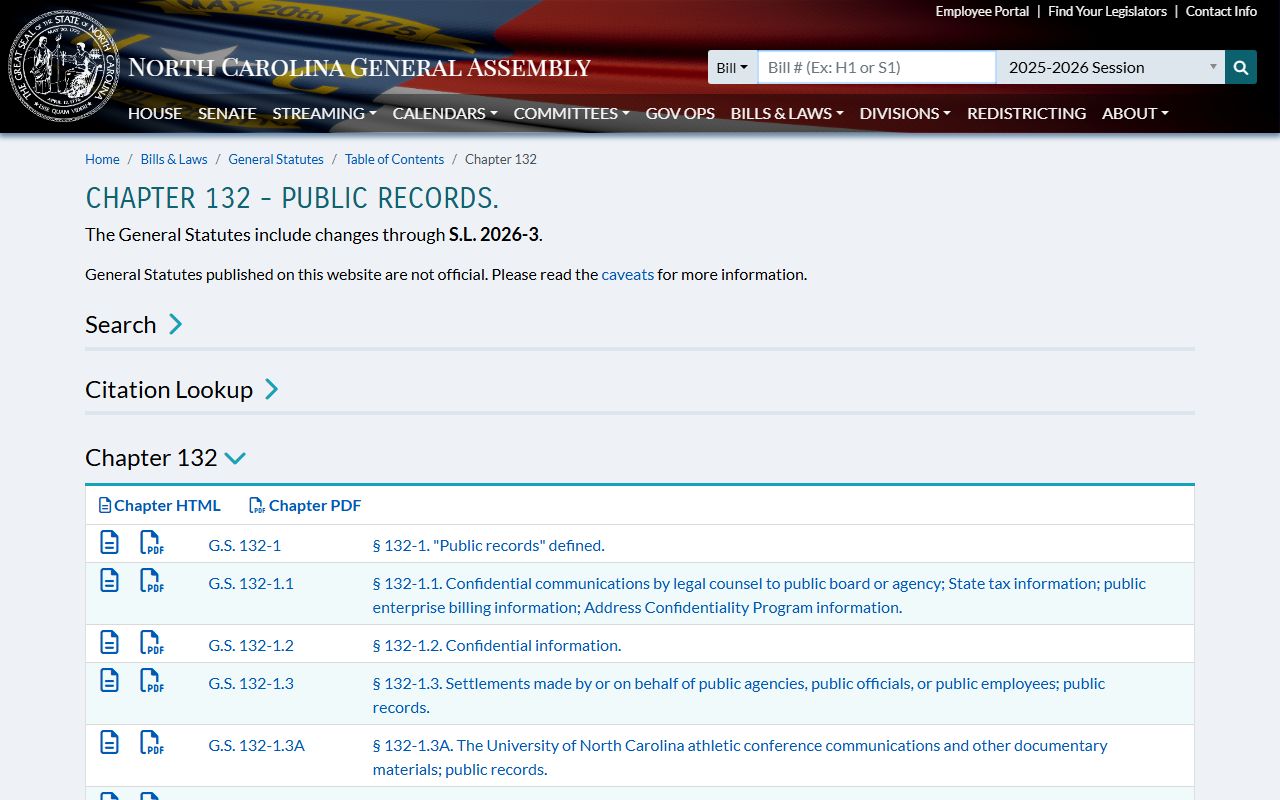
That public-records framework helps explain why Wake County court access starts broadly but still has limits for sealed, juvenile, and protected files.
Types of Wake County Court Records
Wake County court records come from several court functions. Civil matters, estate files, special proceedings, judgments, and many family case records are tied to the courthouse side of the Wake operation. Criminal, traffic, misdemeanor, felony, and marriage-related court business is tied to the Justice Center side. The online search route may look similar because the state system is unified, but the file counter and direct phone contact can differ by case type.
- Civil records can include complaints, answers, motions, orders, judgments, liens, executions, small claims appeals, foreclosures, and civil calendars.
- Criminal records can include charges, returned warrants or summonses, indictments, bonds, appearances, pleas, dispositions, sentences, costs, and appeals.
- Traffic records can include citation number, charged offense, statute, court date, waiver eligibility, fines, costs, and DMV reporting.
- Estate and special proceeding records can include estate administration, guardianship, foreclosure, name change, and related clerk proceedings.
- Family records can include divorce, custody, domestic violence, and child support records, subject to case-specific restrictions.
- Judgment records can include judgment index entries, parties, status, index date, and disposition comments.
Marriage licenses and marriage certificates are not court case records in Wake County. They are handled by the Register of Deeds. Divorce judgments, by contrast, are court records and come from the Clerk of Superior Court in the county where the divorce was granted.
What Wake County Court Records Show
A Portal case summary is a useful index, but it is not the same as the full case file. Wake County court records may show case status, case type, filing or index dates, parties, attorneys, hearings, courtroom or Webex details, docket events, judgments, costs, fines, restitution, and disposition. Criminal and traffic files may add charge descriptions, statute references, pleas, sentence terms, bond entries, probation fees, and appeal information.
| Field | What It Shows |
|---|---|
| Case Number | The court file number, often with North Carolina division or type codes such as CVD, CRS, CR, CV, SP, or E. |
| Case Type | The category, such as civil, criminal, traffic, estate, family, judgment, or special proceeding. |
| Parties | Names and party roles, such as plaintiff, defendant, petitioner, respondent, or judgment creditor. |
| Attorneys | Attorney names or bar numbers when displayed or searched through the hearing module. |
| Docket Events | Filed motions, orders, notices, continuances, hearings, judgment entries, or payment events. |
| Hearings | Date, time, court location, courtroom, judicial officer, and possible Webex courtroom detail. |
| Disposition | The outcome of a claim, charge, or event, including dismissal, judgment, verdict, plea, or other final action. |
| Financial Entries | Costs, fines, restitution, attorney fees, probation fees, or payment status where payment is allowed. |
The next image is from G.S. 132-6, inspection and copying of public records.
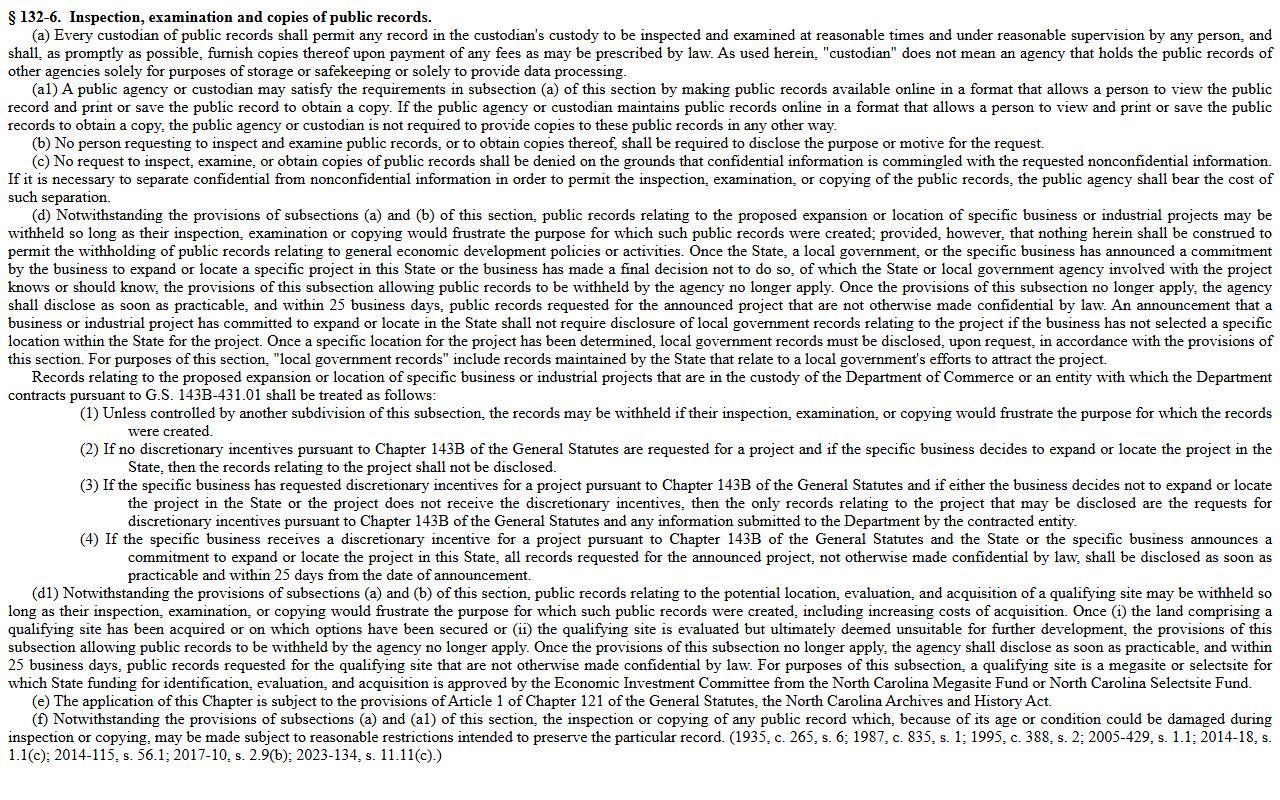
Inspection rights matter most when online court records do not show the document or full file needed for review.
Public Access to Wake County Court Records
Wake County court records are governed by the state public-records framework and by court record rules. G.S. 132-6 gives the public a right to inspect and copy public records at reasonable times under reasonable supervision. G.S. 132-6.2 limits many uncertified copy charges to actual cost unless another law applies and allows special service charges for extensive requests.
The Clerk of Superior Court remains the practical access point for full Wake County court files. The Judicial Branch instructions for obtaining court records state that criminal, civil, special proceeding, and estate information can be accessed at public self-service terminals, but the paper file is viewed at the clerk's office in the county where the case is located. Staff can provide copies for a fee. Certified copies should be requested from the clerk, not pulled from a screen capture.
Note: Portal is useful for lookup, but certified Wake County court records must come from the clerk's official record.
The image below comes from G.S. 132-6.2 on public records copy fees.
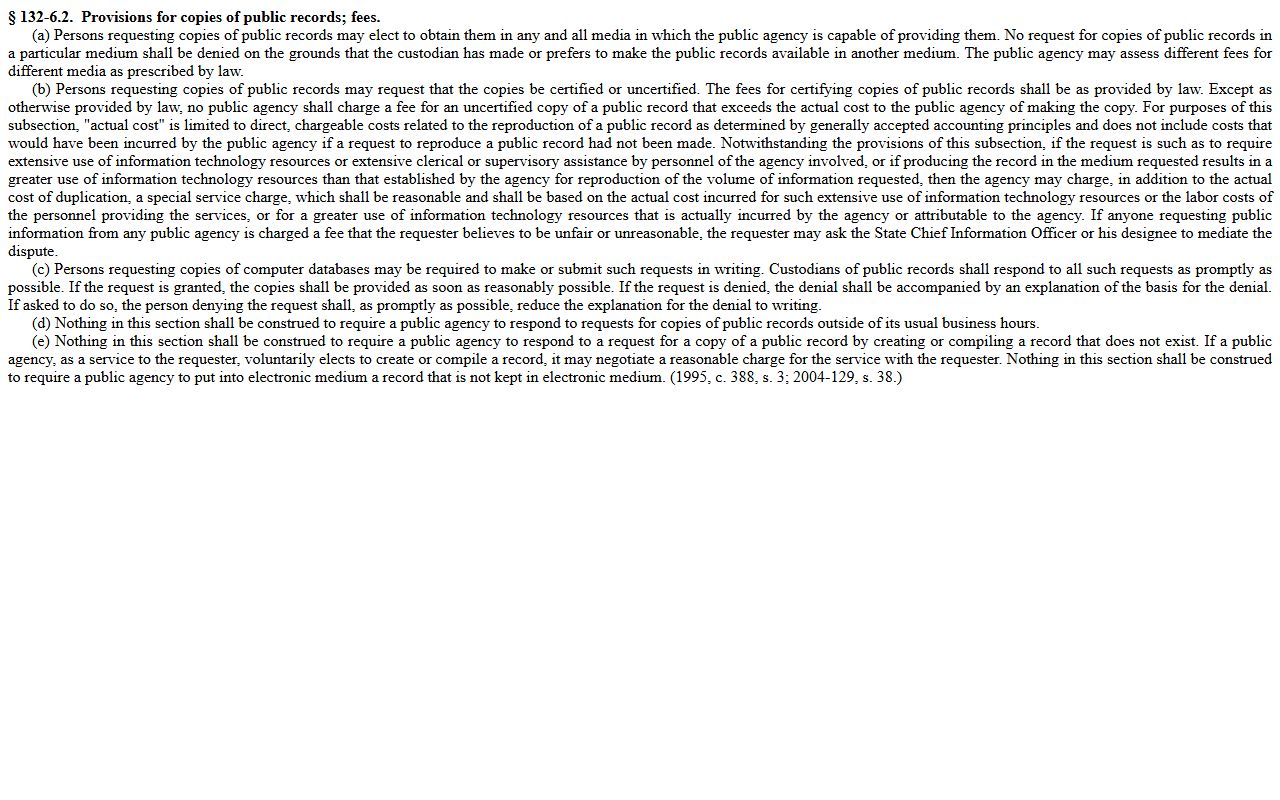
Copy-fee rules explain why plain copies, certified copies, and extensive record requests may be handled differently at the clerk counter.
Wake County Court Records Access Channels
Every Wake County court records request should start with the record holder and then move through the available channels. Online search is the fastest route for current case summaries, but the clerk office, public terminals, and certified copy process remain essential when the record must be complete, official, or admissible.
| Channel | Best Use | Limit |
|---|---|---|
| eCourts Portal | Case summaries, hearings, judgments, and payment links. | May not show every document or restricted file. |
| Public terminal | Criminal, civil, special proceeding, and estate information in clerk offices. | Full file review still belongs with the county of record. |
| Paper file review | Complete case file at the clerk's office. | Requires the county where the case is located. |
| Certified copy request | Official copy for court, licensing, employment, or legal use. | Fees apply and staff may need case details. |
| Sheriff records | Incident report requests and law-enforcement records. | Police reports are separate from court case files. |
Law-enforcement reports should be requested from the agency that investigated the incident. Wake Sheriff's Records Division accepts incident report requests by email, mail, or fax, while criminal court filings and dispositions remain with the Clerk of Superior Court.
Restricted Wake County Court Records
Not all Wake County court records are public. Juvenile delinquency records are confidential under G.S. 7B-3000, and abuse, neglect, and dependency files are restricted under G.S. 7B-2901. Adoption files, mental-health proceedings, protected personal identifiers, financial account numbers, and sealed filings may be withheld or redacted even when the case type has some public entries.
Expunction is different from routine sealing. A sealed record remains in the system but is not open to ordinary public inspection. An expunction clears qualifying public records of an arrest, charge, or conviction so ordinary checks do not disclose the entry. Wake County's contact directory lists record checks, expungements, driver's licenses, and disposed cases at 919-792-4325.
The image below is from the North Carolina public records definition statute.
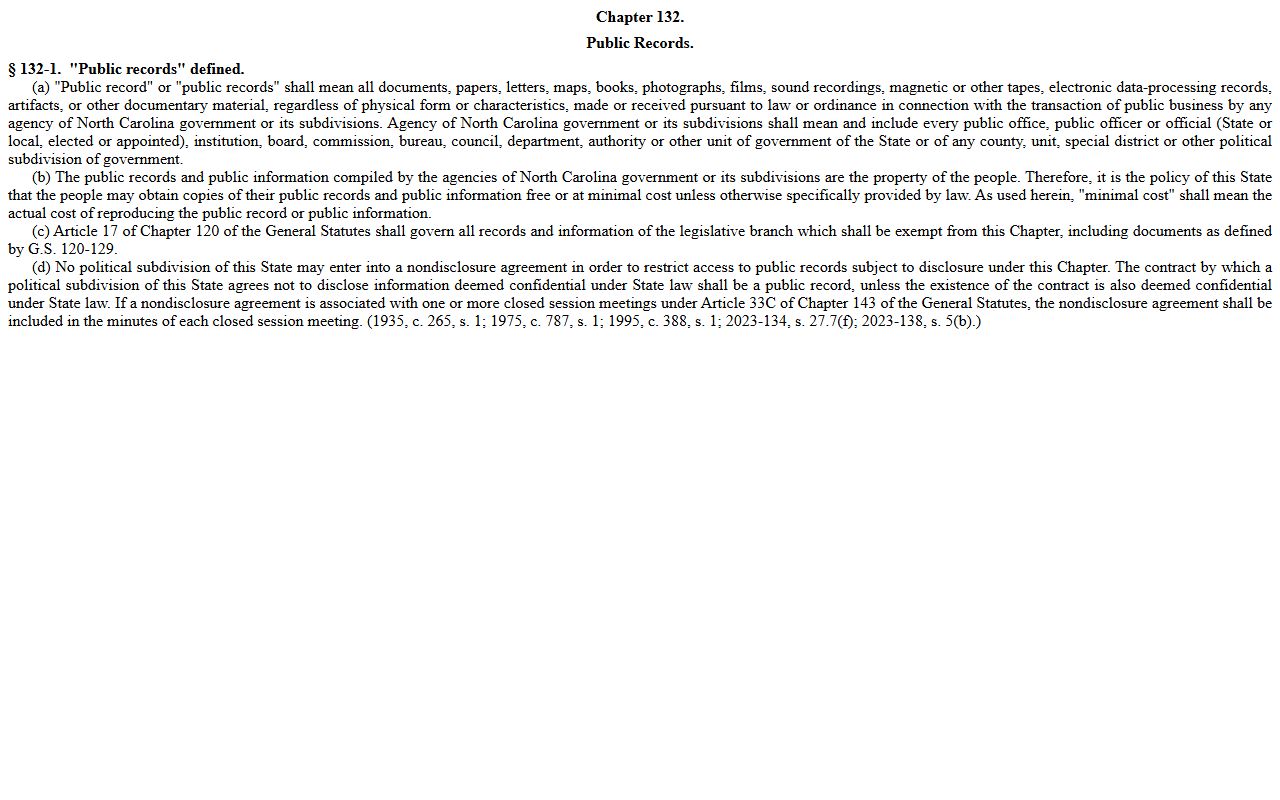
The broad definition is only the starting point because North Carolina confidentiality statutes can still control specific Wake County court records.
In-Person Wake County Court Records
In-person Wake County court record requests should go to the Clerk of Superior Court location tied to the case type. Civil matters, estates, special proceedings, and many file-review tasks route through the Wake County Courthouse. Criminal, traffic, misdemeanor, felony, and marriage-related court business routes through the Wake County Justice Center. Before arriving, collect the case number if known, party names, case type, requested document, copy type, and requester contact information.
Wake County Clerk of Superior Court
Wake County Courthouse
316 Fayetteville St. Mall
Raleigh, NC 27601
919-792-4000
Monday-Friday, 8:30 a.m.-5:00 p.m.
Wake County Justice Center
300 S. Salisbury St.
Raleigh, NC 27601
919-792-4000
Criminal, traffic, and misdemeanor contacts use 919-792-4300.
The final court-records image comes from North Carolina Vital Records ordering routes.
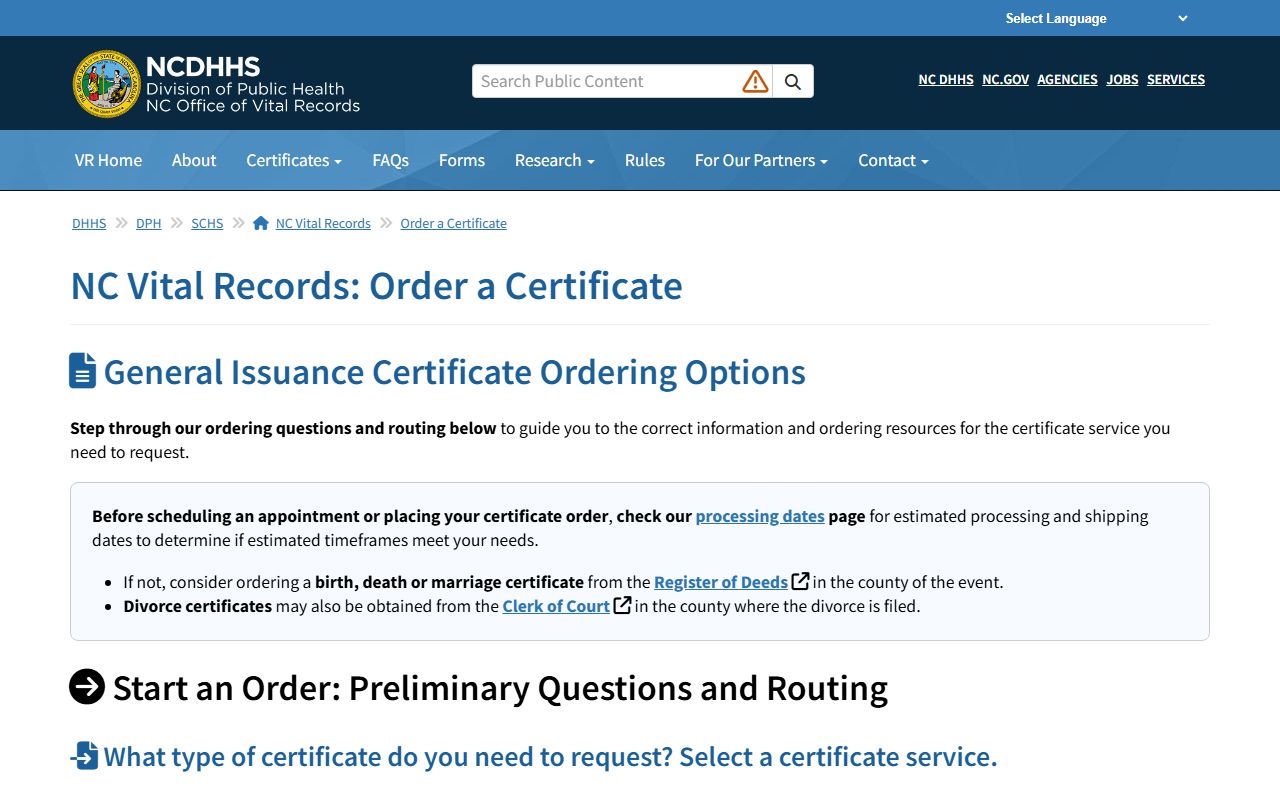
That source matters because divorce certificates and divorce judgments are different records with different custodians.